
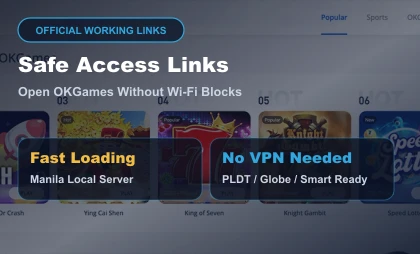
Using the official okgames ph access page makes sure you land on our safe Taguig BGC Cloud Direct server instead of fake copycat sites. All verified backup links run at an average 28ms speed and connect to the exact same wallet balance for all 268,440 players. Whether you used to type okgames io, okgames 77, or an old okgames link, this single page helps you open your account safely without using risky free VPN apps.
OKGames PH Official Working Links & Easy Wi-Fi Access Guide
21+ Safe Gaming • October 2026Key Benefits of Using Verified Backup Links
Fast 28ms Local Manila Connection
Our local server connects directly with PLDT, Globe, Smart, DITO, and Converge so games load fast without lag.
Same Wallet Across All Official Links
Every official backup link connects to your single account, so your PHP balance, VIP level, and bet history stay the same.
No VPN Needed with the v5.5.1 App
Our 37.8 MB Android app connects straight to our server on its own, avoiding account locks caused by free foreign VPNs.
Verified Main Access Link
✓ Online (28ms Speed)| Main Official Website | ok-games.com (Online • 28ms) |
|---|---|
| Local Server Hub | Taguig BGC Cloud Direct |
| Connection Security | TLS 1.3 Safe Browser Lock |
| Wi-Fi Fix Setting | Private DNS (1.1.1.1 or dns.google) |
| Old Search Names | okgames ph / okgames io / okgames 77 |
| Supported PH Networks | PLDT, Globe, Smart, DITO, Converge |
| Free VPN Advice | Do Not Use (Can Lock Your Account) |
| Best Mobile Option | v5.5.1 APK (37.8 MB Direct App) |
Why Searches for OKGames PH, IO, and 77 All Lead Here
Many players in the Philippines search for okgames ph, okgames io, okgames 77, okgames play, or ok games ph when looking for the main lobby. Instead of making dozens of confusing copycat websites, we put all working links and access tips onto this single verification page on ok-games.com.
Every official entry link connects to the exact same player database at our Taguig BGC server. You never need to make a second account or move your money around. Your 09XXXXXXXXX phone number, GCash cashier history, and 12 VIP reward levels stay connected at all times.
Why Local Wi-Fi Sometimes Blocks Links & Why Free VPNs Are Risky
Local internet providers like PLDT Home Fibr, Globe At Home, Smart 5G, DITO, and Converge sometimes block or slow down gaming web addresses on their default Wi-Fi settings. When that happens, your browser might show an error screen even though our game servers are working normally at 28ms speed.
Some players try to fix this by downloading free VPN apps from the app store. Using a free VPN is a bad idea because thousands of strangers share the same foreign IP address in Singapore or the US. When our security system sees your account jump from Manila to an overseas VPN address, it pauses your account and asks for an SMS code to protect your peso balance.
- Fix 1 — Use Private DNS (Best for Browser Players): Open Android Settings > Network & Internet > Private DNS and type one.one.one.one or dns.google. This opens any official okgames link right away while keeping your real Philippine location.
- Fix 2 — Refresh Your Mobile Data Signal: If your home Wi-Fi router is stuck, switch to Smart 5G or Globe LTE mobile data and turn Airplane Mode on and off for 10 seconds.
- Fix 3 — Use the v5.5.1 Android App: Opening the v5.5.1 mobile app skips browser Wi-Fi blocks completely by connecting straight to our Taguig server.
4 Simple Ways to Spot Fake Copycat Websites
Because over 165,000 Filipinos search for our brand every month, scammers sometimes build fake pages to steal passwords. Before you type your password or send GCash, check these four simple signs to be sure you are on the real site.
- We Never Ask for Your MPIN or OTP in Chat: Real customer support will never ask for your 4-digit GCash MPIN, Maya password, or 6-digit SMS code.
- Check the Exact Deposit Limits: Official cashier screens always show our real ₱150 minimum deposit and ₱300 minimum cashout via InstaPay.
- Test Free Demo Mode First: Open JILI Super Ace or Fortune Gems 2 in free demo mode; real lobbies load smoothly with full game rules.
- Look for Clear 21+ Rules at the Bottom: Official pages always have working links to our terms of use and 21+ safe play tools.
Connection Speed Table: Default Wi-Fi vs. Fast Private DNS
When you open an okgames ph link on home Wi-Fi or 5G mobile data, your DNS setting decides how fast the game lobby loads. Compare the loading speeds across major Philippine networks below:
| PLDT Home Fibr (Default vs. 1.1.1.1) | 110ms Wait → 18ms Fast Private DNS |
|---|---|
| Globe At Home / 5G (Default vs. Fast DNS) | 95ms Wait → 24ms Fast Private DNS |
| Smart 5G / Bro (Default vs. Fast DNS) | 88ms Wait → 22ms Fast Private DNS |
| Converge FiberX (Default vs. Fast DNS) | 104ms Wait → 19ms Fast Private DNS |
| DITO 5G (Default vs. Fast DNS) | 92ms Wait → 26ms Fast Private DNS |
How to Fix Wi-Fi Loading Errors in 4 Easy Steps
Check the Browser Lock Icon
Look for the lock symbol next to the web address before typing your okgames login password to make sure the site is secure.
Turn On Cloudflare (1.1.1.1) or Google DNS
If PLDT Home Fibr or Converge shows a "Site Can't Be Reached" message, open your phone Wi-Fi settings and set Private DNS to one.one.one.one.
Clear Old Browser History
Go to Chrome Settings > Privacy > Clear Browsing Data and delete old cached files from expired links you saved in the past.
Install the v5.5.1 APK for Direct Access
Download the 37.8 MB okgames app apk so your phone connects straight to our backup servers automatically.
Quick Account & App Shortcuts
Backup Link & Home Wi-Fi Access FAQs
Are okgames ph, okgames io, and okgames 77 different websites?
No, those are just common search names and old bookmark links that Filipino players use to find the main ok-games.com lobby. All official links use the same account login and PHP wallet.
Why does my browser show an error on PLDT or Converge Wi-Fi?
Home Wi-Fi routers sometimes block gaming web addresses by default. Turn on Private DNS (one.one.one.one) in your phone settings or install the v5.5.1 APK to fix the problem in seconds.
Is it safe to use a free VPN when opening an okgames link?
We strongly recommend not using VPNs because shared foreign IP addresses trigger our security lock to protect your money. Always sign in using your normal Philippine Wi-Fi or mobile data.
How do I report a fake website pretending to be OKGames?
Take a screenshot of the fake web address and send it to Account Center > Help Desk > Security Report after signing in on ok-games.com. Our team blocks and reports fake pages within 24 hours.