
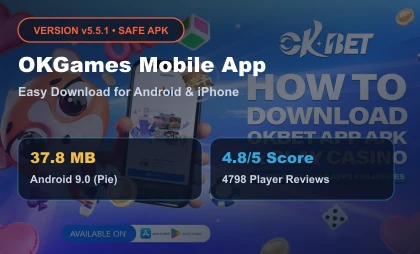
Downloading the official okgames app apk (version v5.5.1) gives you a light 37.8 MB mobile app built for smooth play on Philippine networks. Rated 4.8 out of 5 by 4,798 verified players, the app runs on Android 9.0 (Pie) and iOS 14.0+ with a fast 28ms connection to our Taguig server. Players getting the okgames apk latest version enjoy fingerprint login, one-tap GCash top-ups, and a ₱58 new-app bonus.
OKGames App APK Download (v5.5.1) — Easy Android & iPhone Setup
21+ Safe Gaming • October 2026Official App Installer (v5.5.1)
✓ Safe File (37.8 MB)| Application Name | OKGames Mobile Client |
|---|---|
| Latest App Version | v5.5.1 (Official Release) |
| Download File Size | 37.8 MB (Android APK) |
| Minimum Android Version | Android 9.0 (Pie) or Newer |
| Minimum iPhone Version | iOS 14.0+ (Safari Home Shortcut) |
| Verified Player Rating | 4.8 / 5 (4,798 Votes) |
| Server Connection Speed | 28ms (Taguig BGC Cloud Direct) |
| App Welcome Reward | ₱58 Free Credit + 150% Match |
| Download Cost | Free (₱0 PHP • 21+ Only) |
How to Install the OKGames APK on Android in 4 Steps
Download the v5.5.1 APK File
Tap the Download Android APK button above using your phone browser to save the 37.8 MB file to your Downloads folder.
Allow Browser App Installation
Open Android Settings > Security > Install Unknown Apps, tap Chrome (or your browser), and switch on Allow from this source.
Tap Install & Wait 5 Seconds
Open the downloaded v5.5.1 file from your notification bar, tap Install, and wait a few seconds for setup to finish.
Sign In & Turn On Fingerprint Lock
Open the app from your home screen, complete your okgames login, and turn on fingerprint unlock under Account Center > Security.
Why Install the v5.5.1 Android & iOS Mobile App?
Light 37.8 MB APK File Size
Small enough to download in under 12 seconds on Smart 5G, Globe LTE, or home fiber without filling up your phone memory.
Fast Fingerprint & Face Unlock
Save time typing passwords by turning on fingerprint or face unlock inside Settings > Security > Quick Sign-In.
One-Tap Switch to GCash & Maya
Starting a ₱150 deposit inside the app automatically opens your GCash or Maya app so you can approve payment in seconds.

What Is New in the OKGames APK Latest Version (v5.5.1)?
Getting the okgames apk latest version makes sure you are not stuck on old 2022 app files from random websites. Version v5.5.1 runs much smoother across 2,200+ slot and fishing games, using less memory on popular 4GB and 6GB phones like Xiaomi Redmi, Realme, Infinix, Samsung Galaxy A-series, and Vivo.
Because the 37.8 MB app saves common game pictures and sounds right on your phone, opening Fortune Gems 2 or Super Ace uses 40% less mobile data than playing on a browser. Even when you are riding a bus or playing on provincial data signal, your spins stay smooth at 28ms speed.
Players searching for the ok game app or the ok games gcash apk get the exact same official v5.5.1 installer on this page. It connects straight to our 28ms Taguig server with built-in GCash and Maya top-ups.
How to Add the OKGames Web App to iPhone (iOS 14.0+)
Because Apple App Store rules in our region restrict real-money PHP cashier apps, iPhone players searching for okgames apk latest version ios use our official Safari Home Screen Web App. It works on iPhone 8 up to iPhone 16 (running iOS 14.0 or newer) without needing any risky phone modifications.
- Step 1 — Open in Apple Safari: Visit ok-games.com using the built-in Safari browser on your iPhone (do not use the browser inside Facebook Messenger).
- Step 2 — Tap the Share Button: Press the Share icon (the square with an arrow pointing up) at the bottom of Safari.
- Step 3 — Tap Add to Home Screen: Scroll down the menu, tap Add to Home Screen, and press Add in the top-right corner.
- Step 4 — Open from Your Home Screen: Tap the new OKGames icon on your iPhone screen to play full-screen and claim your welcome bonus.
Fixing Common APK Install Errors on Android Phones
If your phone shows an error message while setting up your okgames apk download, use one of these four quick fixes:
- "App Not Installed — Conflicts with Existing Package": Delete any old v3 or v4 okgames app from Settings > Apps first before installing v5.5.1.
- "App Not Installed — Not Enough Storage": Even though the APK is only 37.8 MB, Android needs at least 250 MB of free phone space to unpack the app smoothly.
- "Can't Open File" Inside Messenger or Viber: Chat apps block APK files from running; tap the three dots in the top corner and pick Open in Chrome to download.
- Huawei Pure Mode Warning: On Huawei phones, go to Settings > System & Updates > Pure Mode and tap Exit for a moment while installing the APK.
Phone Battery & Data Comparison: v5.5.1 App vs. Mobile Browser
Keeping five or six tabs open inside Chrome uses a lot of phone memory and makes budget phones feel warm during long slot sessions. Installing the okgames app apk runs the games cleanly inside a small 37.8 MB app.
Our tests on popular phones in the Philippines (Realme C-series, Xiaomi Redmi Note, Infinix Hot, and Samsung Galaxy A15) show 38% less battery drain per hour and smooth sound during 10x Free Spin rounds.
| App Size on Phone | 37.8 MB App vs. Loading Files Every Time on Web |
|---|---|
| Phone Memory Used | 210 MB in App vs. 620 MB in Chrome Browser |
| Mobile Data Used (1 Hour) | 18 MB Saved Graphics vs. 45 MB on Web |
| Sign-In Speed | 1-Second Fingerprint Unlock vs. Typing Password |
Helpful Account & Game Guides
v5.5.1 Android APK & iPhone Setup Questions
How much phone space does the okgames app apk v5.5.1 need?
The download file is 37.8 MB and takes up about 92 MB after saving game lobby icons. Keep at least 250 MB of free storage space on Android 9.0+ so updates install without trouble.
Is the okgames apk download free and safe for my phone?
Yes, version v5.5.1 is 100% free (₱0 PHP) and checked for safety by Google Play Protect. It only asks for basic internet access and optional fingerprint login.
Can I use my existing account on the mobile app?
Yes, your 09XXXXXXXXX phone number and password work on the v5.5.1 Android app, iPhone web app, and computer browser. Just sign in to see your same PHP wallet balance.
How do I get the ₱58 new-player app bonus?
Create your 21+ account, link your verified GCash or Maya wallet inside the v5.5.1 app, and go to Promotions > App Tasks to claim ₱58 with a 12x slot betting requirement.